








In the high-stakes environment of modern entrepreneurship, time is the ultimate currency. For small business owners, every hour spent juggling administrative overhead is an hour lost to strategic growth. Recognizing this, Google has unveiled a transformative update to its Google Meet platform: the "Take notes for me" feature. Powered by the company’s flagship generative AI, Gemini, this tool is designed to offload the cognitive burden of documentation, allowing professionals to reclaim their focus during critical discussions.
Starting today, subscribers of Google AI Pro and Ultra plans can leverage this functionality to transform how they manage meeting insights. By automating the transcription and summarization process, Google is positioning Gemini not just as a chatbot, but as an indispensable virtual assistant for the modern office.
The Core Innovation: What is ‘Take Notes for Me’?
At its heart, "Take notes for me" is an intelligent background process that acts as an invisible secretary. Rather than relying on human participants to multitask—simultaneously listening to a client and typing out action items—users can now delegate the documentation to Gemini.
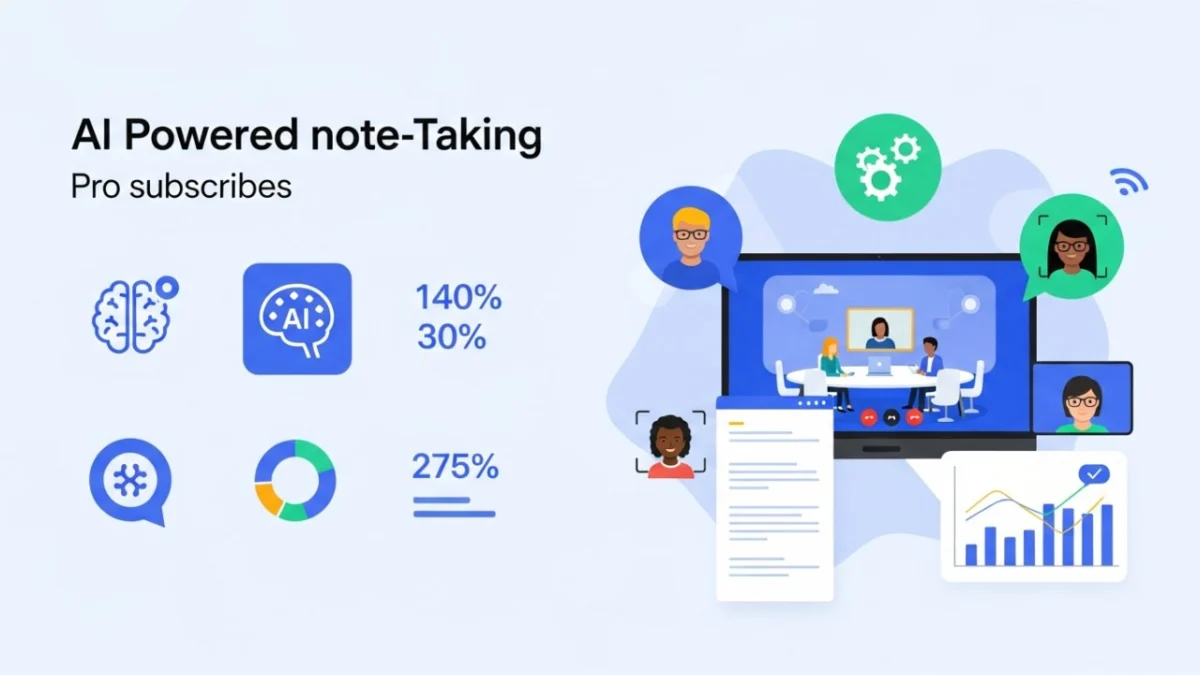
The tool functions by listening to the audio stream in real-time. As the conversation progresses, the AI identifies key themes, decisions, and, most importantly, actionable tasks. Once the meeting concludes, Gemini synthesizes this information into a structured Google Doc, which is then automatically saved to the user’s Google Drive. This end-to-end automation eliminates the "post-meeting scramble," where vital details are often lost or forgotten in the transition from the boardroom to the inbox.
Chronology of the Development
The rollout of this feature is the culmination of a broader strategic shift within Google’s Workspace division.
- Phase 1: The Integration of Gemini. Earlier this year, Google began embedding its Gemini models into the core Workspace ecosystem, moving beyond basic automation to advanced content synthesis.
- Phase 2: Beta Testing. Throughout the summer, Google tested automated summarization features with select enterprise partners, refining the accuracy of speech-to-text transcription and the AI’s ability to distinguish between casual banter and formal project requirements.
- Phase 3: The Public Launch. Today, the feature graduates from internal testing to a full-scale deployment for Google AI Pro and Ultra subscribers. This marks a pivotal moment where high-end AI capabilities are being democratized for the individual entrepreneur and small business owner.
Supporting Data: The Case for AI-Driven Efficiency
The necessity of such a tool is underscored by current industry trends regarding workplace productivity. According to recent surveys on "Meeting Fatigue," the average professional spends approximately 30% to 50% of their work week in meetings. Furthermore, studies indicate that nearly 40% of information discussed in meetings is forgotten within 48 hours if not properly documented.
For small business owners, who often lack dedicated administrative staff, this loss of information can be catastrophic. By deploying "Take notes for me," users are not merely gaining a convenience; they are potentially reclaiming up to five hours of administrative work per week—time that can be reallocated toward client acquisition, product development, or operational optimization.
Official Responses and Technical Integration
In a recent blog post, Google’s Workspace team emphasized that the feature was built with "privacy and transparency at the forefront."
"Our goal is to allow business owners to be fully present," said a Google spokesperson. "When you aren’t worried about capturing every word, you engage more deeply with your clients. You build better relationships."
How to Deploy the Feature
Google has prioritized a low-friction user experience. To activate the feature during a meeting, users simply need to:
- Initiate the call: Start your Google Meet session as usual.
- Access the Menu: Click the "pencil" icon located within the Meet window.
- Enable Documentation: Alternatively, users can navigate to "Meeting records" in their settings to ensure the feature is toggled on for all future calls.
- Transparency Protocol: To maintain ethical standards, the system automatically notifies all participants that an AI note-taker is active, ensuring compliance with privacy expectations and professional transparency.
Implications for Small Business Operations
The ripple effects of this technology on small businesses are profound. We can analyze these implications through three distinct lenses:
1. The Death of the "Administrative Bottleneck"
In many small businesses, the owner is the primary point of contact for everything from finance to sales. When that owner is bogged down in manual note-taking, the business hits an administrative ceiling. By automating this, the owner becomes more scalable. They can attend three client meetings in a row without the notes from the first one blurring into the second.
2. Enhanced Client Relationships
Client consultations, such as those in catering, design, or consulting, often involve complex requests. When an owner can look a client in the eye rather than staring at a laptop screen, the quality of interaction increases. The post-meeting summary email—delivered immediately by Gemini—serves as a "professional touchpoint" that reassures clients that their specific needs have been heard and documented.
3. Institutional Memory
One of the greatest challenges for growing businesses is maintaining a "single source of truth." By automatically storing summaries in Google Drive, businesses create a searchable, permanent archive of their history. New team members can quickly get up to speed on past decisions, ensuring that the business doesn’t repeat the same mistakes or have the same discussions twice.
Challenges and Considerations
While the benefits are significant, the adoption of "Take notes for me" is not without its hurdles.
The Barrier to Entry: Currently, the feature is gated behind Google’s higher-tier AI subscriptions. For a bootstrapped startup, the additional cost per user may be a point of friction. Business owners must conduct a cost-benefit analysis to determine if the time saved justifies the subscription premium.
The Dynamic Shift: There is a psychological aspect to AI-assisted meetings. Some participants may feel inhibited knowing an AI is "listening" and transcribing. Entrepreneurs must balance the need for efficiency with the need to maintain a warm, human-centric culture. Transparency is key; clear communication with clients about why the AI is present can mitigate discomfort.
Accuracy and Context: While Gemini is highly advanced, it is still an AI. It may occasionally misinterpret industry-specific jargon or nuances in tone. Users should still perform a "sanity check" on summaries before sending them to high-value clients.
Looking Ahead: The Future of Virtual Collaboration
The introduction of "Take notes for me" is a clear signal that Google is doubling down on the "AI-first" workplace. In the coming months, we expect to see further iterations of this tool, perhaps including sentiment analysis (identifying if a client sounds satisfied or frustrated) or real-time action item assignment to specific team members’ calendars.
As we look toward the future of small business operations, the line between "work" and "documentation" will continue to blur. For the busy entrepreneur, the ability to focus on the discussion rather than the documentation is not just a luxury—it is a competitive advantage.
Those interested in adopting this feature should visit the official Google Workspace blog for comprehensive setup guides and privacy whitepapers. As technology continues to evolve, the businesses that thrive will be those that embrace these tools, not as replacements for human effort, but as catalysts for human potential.
The era of the "AI-augmented professional" has arrived. For the small business owner, the question is no longer whether they can afford to use AI, but whether they can afford not to.